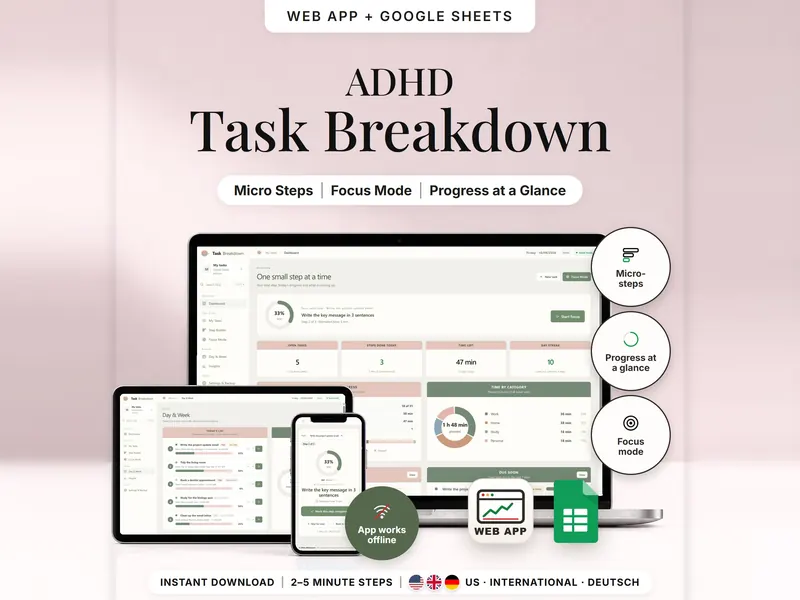
Task Breakdown Planner
Break a big task into 2–5 minute steps and see only the next one in Focus Mode.
- Web app + Sheets
- Made for ADHD brains
€4.99*

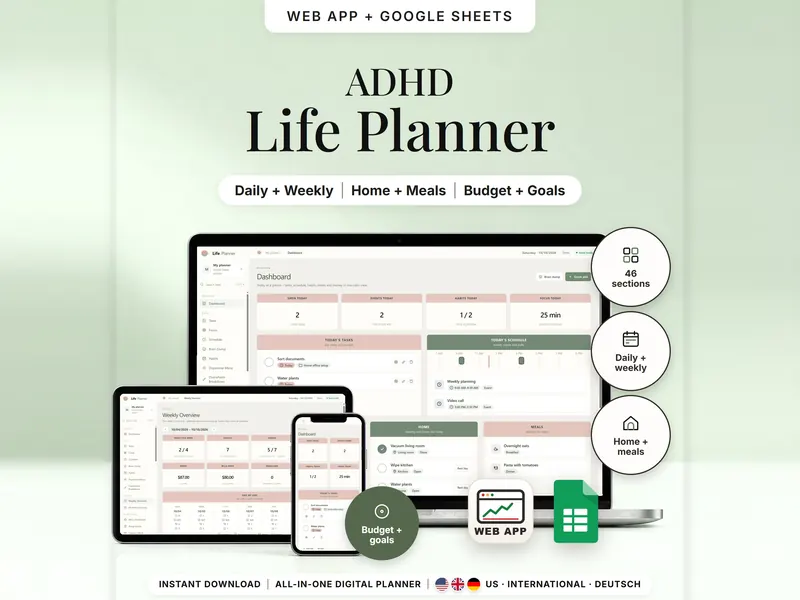
Tasks, schedule, habits, home, meals and money in one planner – show only what you need.
€8.98 for buyers in Germany, incl. 19% VATOne-time purchase · instant download
Etsy shows the final amount in your currency at checkout.
After payment, download your files in a web browser – Etsy → You → Purchases and reviews → Download files, or the link in Etsy's order email if you checked out as a guest. The Etsy app can't download files.
In short
ADHD Life Planner is a one-time download: an offline web app (no account needed) plus a separate 47-tab Google Sheets™ template (free Google account) for keeping tasks, schedule, habits, home, meals and money in one place. No subscription.
Tasks in one app, meals in another, bills on a sticky note – that's a lot of places to check. This all-in-one ADHD planner keeps 46 sections together: a dashboard for today, weekly and monthly overviews, a brain dump, a focus timer, cleaning and meal plans, bills, budget and savings goals. Start with the groups you need and hide the rest; hidden groups keep their entries.
Every number comes from what you type in. There's no bank connection and there are no reminders – things show up when you open the planner. The web app uploads nothing, and the planner doesn't assess anything: insights show averages of what you logged, and empty days stay empty.
An organizing tool – not a medical tool.
The 15-second tour
The dashboard on a laptop, labeled Your day at a glance. A card works out pasta: recipe × servings 200 g, minus 100 g in your pantry, to buy 100 g. Next come Brain dump first, Your week day by day and Groceries from your plan, while tags add up: Brain Dump, Focus Timer, Week + Month, Meals + Groceries, Budget + Bills. It ends with: offline web app + Google Sheets, three editions, separate files, no syncing.
The video has no sound. · 15 s
Feature images
Real screenshots, sample data.
A single HTML file that opens in your browser, without an account or subscription
47 tabs (START + 46 areas), blank and with sample data, for 3 regions
US, International (UK, IE, AU, NZ, CA) and German (DE, AT, CH)
Setup instructions in English and German (PDF)
Both versions are included as separate files – they don't sync. A few steps the web app does for you – turning a thought into a task, logging a focus session – are done by hand in Sheets.
| Topic | Offline web app | Google Sheets |
|---|---|---|
| Where your entries live | In your browser, on this device | In your own copy in Google Drive |
| Account | Not needed | A free Google account |
| Works offline | Yes, once the file is open | Usually needs an internet connection |
| Layout | 46 areas in a side menu | 47 tabs: START plus all 46 areas |
| Brain dump | To task in one tap; To schedule asks for a time | You copy a thought into a task by hand |
| Focus timer | Start, stop & save – minutes logged | You type a session in after you finish |
| Undo & backup | Undo; backup file with a checksum | Google's version history |
They don't sync.
Check out on Etsy, then download your files in a web browser – not in the Etsy app.
The guide shows which web app file to open and has your Google Sheets copy links and the link for iPhone and iPad.
Open the web app in your browser, or make your own copy of the Google Sheets template, and add your first entry.
ADHD Life Planner
€8.98 for buyers in Germany, incl. 19% VATEtsy shows the final amount in your currency at checkout.
One-time purchase · instant download · offline web app + Google Sheets
| Device | Web app | Google Sheets |
|---|---|---|
| Windows or Mac computer | Open the HTML file in Chrome, Edge, Firefox or Safari | In your browser |
| Android phone or tablet | Open the file from Downloads with Chrome | Google Sheets app or browser |
| iPhone & iPad | Open the web-app link from your START HERE guide in Safari and add it to your Home Screen | Google Sheets app or browser |
| Edition | Format |
|---|---|
| US | 10/11/2026, 8:00 PM, USD, week starts Sunday |
| International | UK, Ireland, Australia, New Zealand, Canada – 11/10/2026, 20:00, GBP/EUR/AUD/CAD/NZD, week starts Monday |
| German | Germany, Austria, Switzerland – 11.10.2026, 20:00, EUR/CHF, German labels |
You choose what you see: Settings → Visible areas hides whole groups, and hidden groups keep their entries.
No. You type in amounts yourself, and a bill counts as paid when you record the payment.
The web app needs no account – you open the file in your browser. The Google Sheets version needs a free Google account. There's no stillmeasure. account and no subscription.
In the web app, in your browser on that device, so open the same file in the same browser and export a backup now and then. In Google Sheets, in your own copy in Google Drive. The two versions don't sync.
iPhone & iPad: open the web-app link from your START HERE guide in Safari and add it to your Home Screen. A downloaded HTML file on its own only opens as a preview on iPhone and iPad.
It isn't supported. The spreadsheet version is made for Google Sheets.
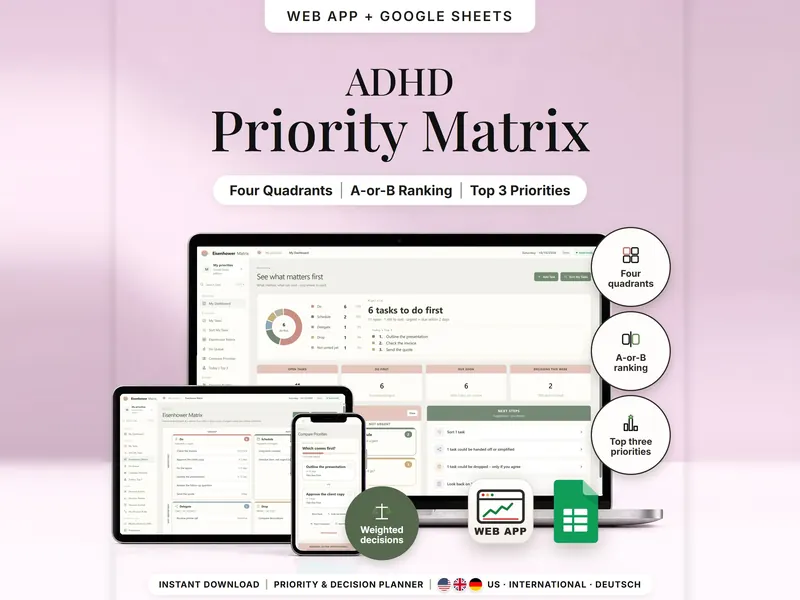
Break a big task into 2–5 minute steps and see only the next one in Focus Mode.
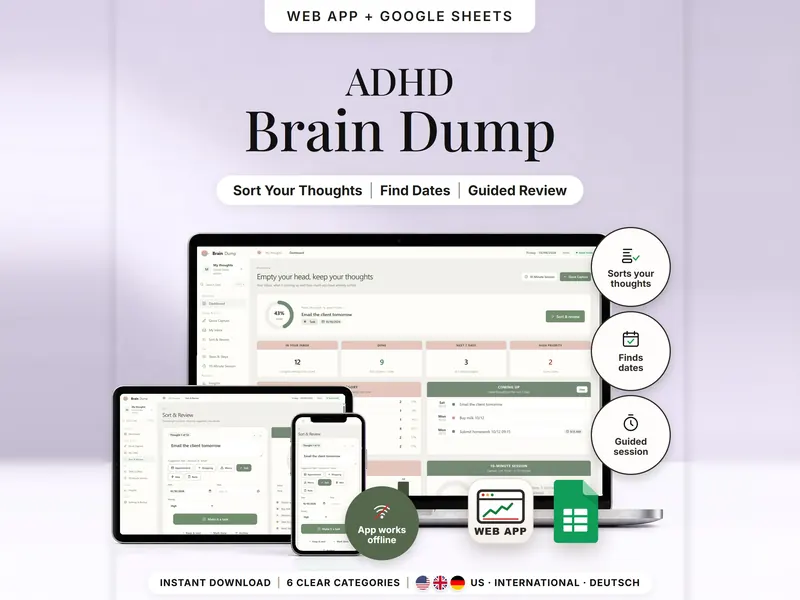
Write one thought per line and see it sorted into six categories, with dates picked up.
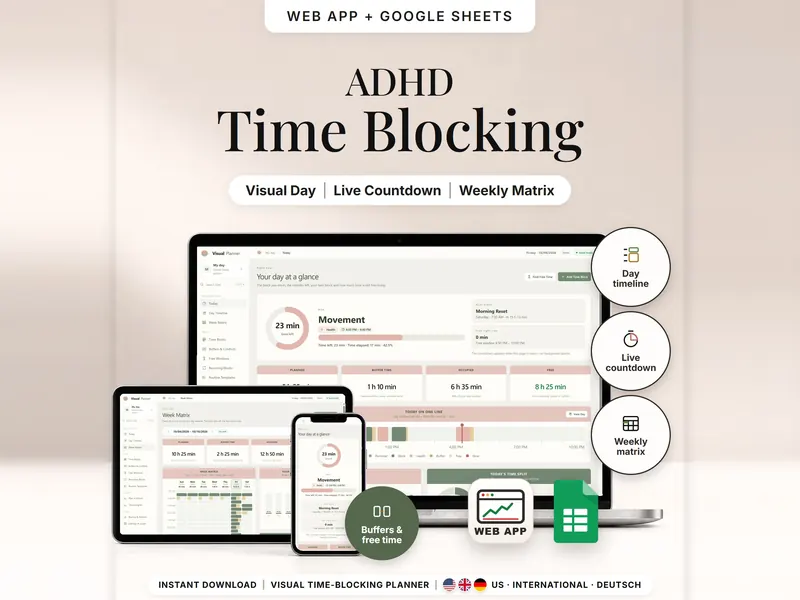
See your day as time blocks drawn to scale, with minutes left, buffers and free time.
€8.98 for buyers in Germany, incl. 19% VAT
One-time purchase · instant download · offline web app + Google Sheets
Last updated: Oct 2026 · Version 1.0