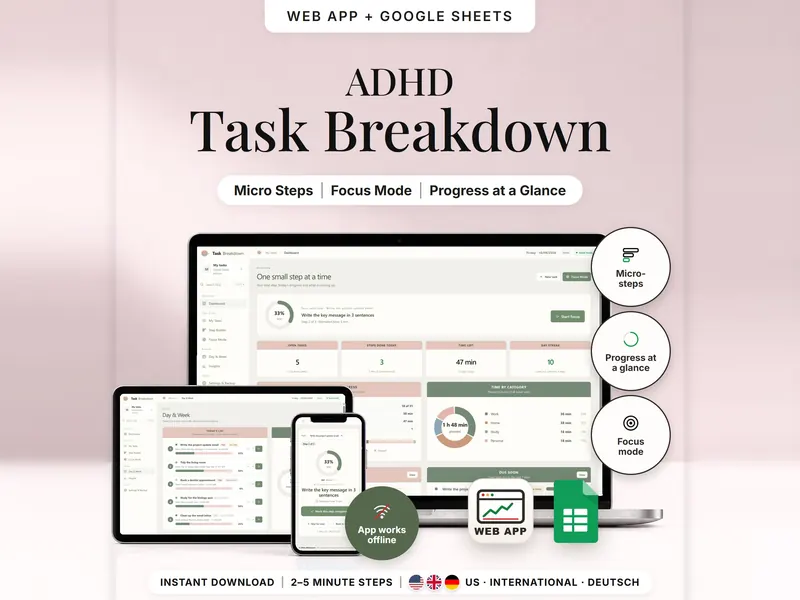
Task Breakdown Planner
Break a big task into 2–5 minute steps and see only the next one in Focus Mode.
- Web app + Sheets
- Made for ADHD brains
€4.99*

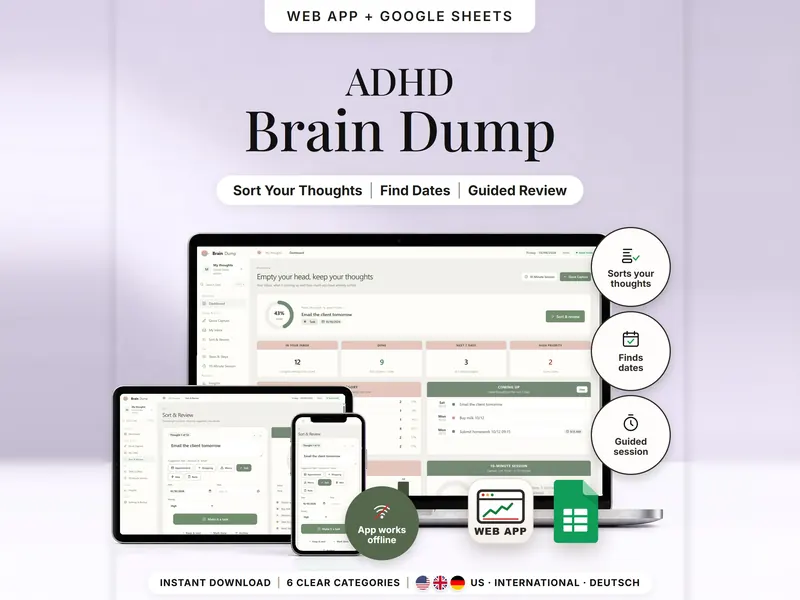
Write one thought per line and see it sorted into six categories, with dates picked up.
€4.99 for buyers in Germany, incl. 19% VATOne-time purchase · instant download
Etsy shows the final amount in your currency at checkout.
After payment, download your files in a web browser – Etsy → You → Purchases and reviews → Download files, or the link in Etsy's order email if you checked out as a guest. The Etsy app can't download files.
In short
Brain Dump Planner is a one-time download: an offline web app (no account needed) plus a separate Google Sheets™ template (free Google account) for getting thoughts out of your head, sorting them into six categories and turning what matters into small steps. No subscription.
A head full of loose ends is hard to act on. This brain dump template starts with the easy part: write every thought on its own line, or paste a whole list. Each line gets a suggested category – Appointment, Shopping, Worry, Task, Idea or Note – and the reason, such as “because of email”. Dates and times like “tomorrow”, “Fri 14:30” or “10/12” are picked up, so dated thoughts appear under Coming up. Sort & Review then shows one thought at a time: mark it done, archive it, keep it or make it a task with small steps.
The sorting follows fixed keyword lists you can read on the Help page. In the web app it runs locally in your browser and nothing is uploaded. Your own choice always replaces a suggestion, and “Worry” is only a category, not an assessment.
An organizing tool – not a medical tool.
Feature images
Real screenshots, sample data.
A single HTML file that opens in your browser, without an account or subscription
Blank and with sample data, for 3 regions
US, International and German (DACH) – dates are read the way you write them
Setup instructions in English and German (PDF)
Both versions sort what you write into the same categories, using keywords and dates. Two separate files – they don't sync.
| Topic | Offline web app | Google Sheets |
|---|---|---|
| Where your data lives | In your browser, on this device | In your own copy in Google Drive |
| Account | Not needed | A free Google account |
| Works offline | Yes | Usually needs an internet connection |
| Capturing | Press Enter, or paste a list and check the preview | One thought per row, with the date you captured it |
| Thought to task | One tap – steps come from a template | Set the status or add the task in the Tasks tab |
| 10-minute session | Included | Not included |
| Backup | Backup file to download and restore | Google's version history |
They don't sync.
Check out on Etsy, then download your files in a web browser – not in the Etsy app.
The guide shows which web app file to open and has your Google Sheets copy links and the link for iPhone and iPad.
Open the web app in your browser, or make your own copy of the Google Sheets template, and add your first entry.
Brain Dump Planner
€4.99 for buyers in Germany, incl. 19% VATEtsy shows the final amount in your currency at checkout.
One-time purchase · instant download · offline web app + Google Sheets
| Device | Web app | Google Sheets |
|---|---|---|
| Windows or Mac computer | Open the HTML file in Chrome, Edge, Firefox or Safari | In your browser |
| Android phone or tablet | Open the file from Downloads with Chrome | Google Sheets app or browser |
| iPhone & iPad | Open the web-app link from your START HERE guide in Safari and add it to your Home Screen | Google Sheets app or browser |
| Edition | Format |
|---|---|
| US | 10/12 = Oct 12, week starts Sunday |
| International | UK, Ireland, Australia, New Zealand and Canada – 10/12 = 10 Dec |
| DACH | Germany, Austria and Switzerland – German keywords, 12.10. = 12 Oct |
With fixed keyword lists you can read on the Help page – “email” suggests Task, for example, and “buy” suggests Shopping. The first matching category wins, and a line without a keyword becomes a Note.
No. The web app sorts locally in your browser and nothing is sent to us. Your thoughts are saved in that browser on that device; a backup file isn't encrypted, so keep it private.
The web app needs no account. The Google Sheets version needs a free Google account. There is no stillmeasure. account and no subscription.
No. They are separate files. Google Sheets also sorts by categories, keywords and dates, while the paste preview, one-tap task conversion and the 10-minute session are web app features.
iPhone & iPad: open the web-app link from your START HERE guide in Safari and add it to your Home Screen. A downloaded HTML file on its own only opens as a preview on iPhone and iPad.
No, there are no notifications. Dated thoughts appear under Coming up on the dashboard whenever you open it.
It isn't supported. The spreadsheet version is built for Google Sheets.
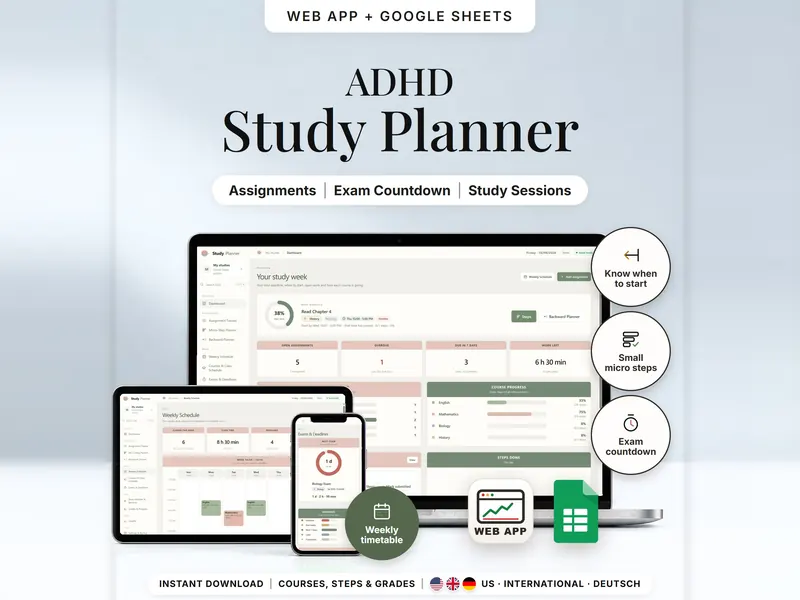
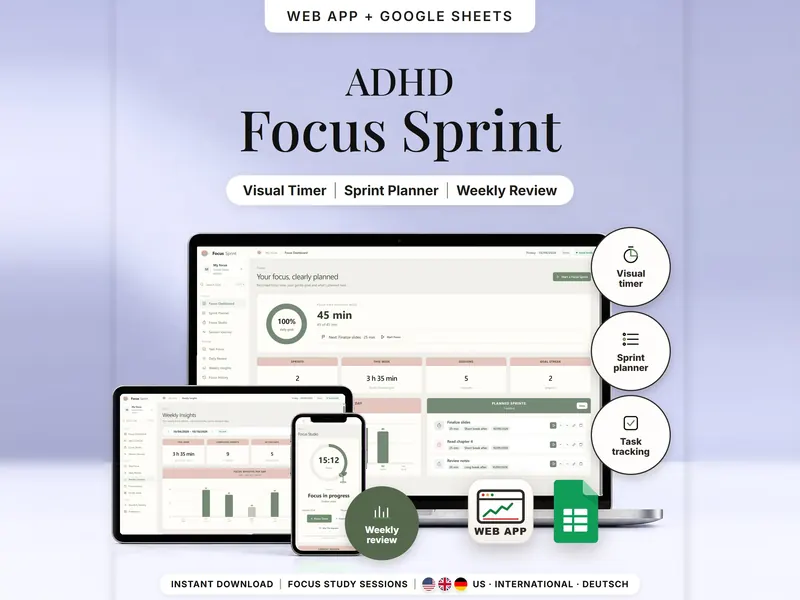
Break a big task into 2–5 minute steps and see only the next one in Focus Mode.
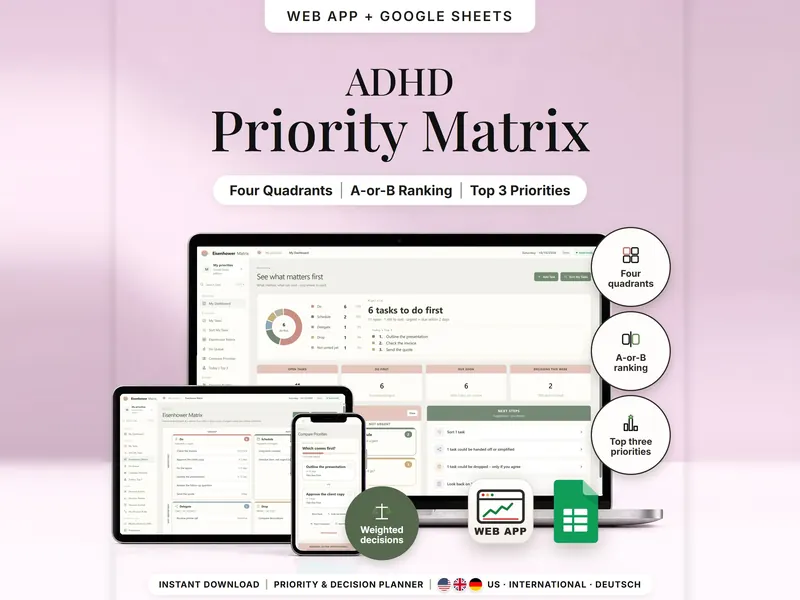
Sort tasks into Do, Schedule, Delegate or Drop and find your top 3, two tasks at a time.
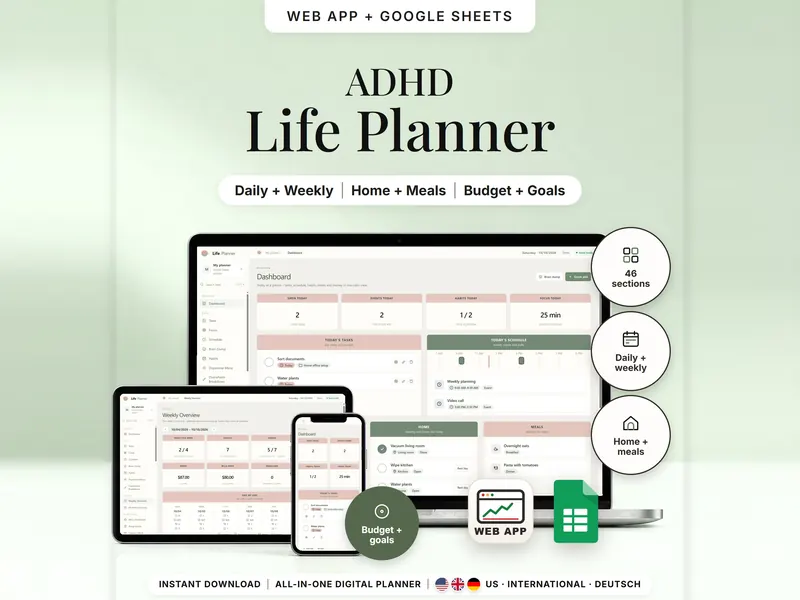
Tasks, schedule, habits, home, meals and money in one planner – show only what you need.
€4.99 for buyers in Germany, incl. 19% VAT
One-time purchase · instant download · offline web app + Google Sheets
Last updated: Oct 2026 · Version 1.0