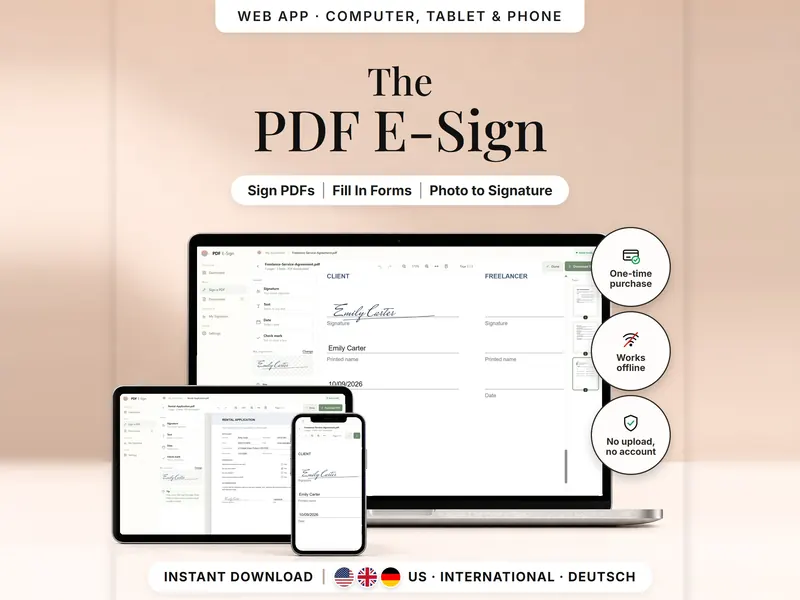
PDF E-Sign – sign and fill PDFs offline, without uploading

Add your signature, text, dates and check marks to a PDF and download a signed copy.

  • Web app only
  • US · International · German

€4.99 for buyers in Germany, incl. 19% VATOne-time purchase · instant download

Etsy shows the final amount in your currency at checkout.

Buy on Etsy – €4.99
You'll check out on Etsy – how do I get my files?

After payment, download your files in a web browser – Etsy → You → Purchases and reviews → Download files, or the link in Etsy's order email if you checked out as a guest. The Etsy app can't download files.

  • Draw your signature or use a photo
  • Add text, dates, ticks and crosses
  • Signed copy matches what you placed
  • Works offline; your PDFs are never stored

Wedding & Paperwork Bundle: 3 tools, 25% off on Etsy →

In short

Sign a PDF offline, without sending it anywhere

PDF E-Sign is a one-time download: an offline web app (no account needed) for signing and filling in PDFs in your browser – draw your signature or use a photo of it, add names, dates and check marks, and save the signed copy as a new file. There is no Google Sheets version. No subscription.

A lease, a school form or a client agreement arrives as a PDF and needs your signature, name and date. PDF E-Sign lets you do that offline: open the file in your browser, place a signature you drew or photographed, add text, dates and check marks, and download a new signed copy. The PDF never leaves your device.

What it isn't: a certified e-signature service. It puts a visible signature on the page – there is no identity check and no certificate behind it, so whether it's accepted depends on the document and on whoever asked you to sign. It also doesn't fill a PDF's own interactive form fields; your text sits on top of the page.

Feature images

See it in action

  • Sign your PDFsOpen a PDF, tap the spot and your saved signature, name and date are in place.
  • Fill in PDF formsText, dates and check marks sit on top of the page – scanned forms included.
  • Your signature, ready to useDraw it once with mouse, finger or stylus; only the ink is placed on your PDF.
  • Photo to signatureCrop the photo, then one slider removes the paper and the shadows.
  • Exactly where you put itEach field lands in the downloaded PDF at the same position and size as in the editor.
  • Computer, tablet and phoneChrome, Edge, Firefox or Safari on a computer, Chrome on Android.
  • Private by designOnly your signature and document list are kept in this browser – delete them anytime.
  • Everything at a glanceYour documents, what you marked as done and whether your signature is ready.
  • Pick up where you left offOpen the same PDF again and the fields you placed come back.
  • Made for your regionUS, International and German – each with the date format you're used to.
  • What you getThree web app files, the START HERE guide in English and German, and a built-in sample PDF.
  • Good to knowPlain answers before you buy – including what this kind of signature is not.

Inside the app

Real screenshots, sample data.

  • Fill in a formA selected date field: numeric or written out, with font, size, style and color.
  • My SignatureDraw your signature once and save it for every document.
  • Use a photoCrop the photo, then move the slider until the paper disappears.
  • German editionThe editor in the German edition, with dates such as 09.10.2026.

What's included

  • 3 web app files

    HTML files for the US, International (UK spelling, DD/MM dates) and German (Deutsch) editions.

  • START HERE guide

    A PDF guide in English, plus START HIER in German.

  • Sample PDF

    Built into the app, so you can try every tool before you open your own file.

What it does

Sign and fill in

  • Sign contracts, forms and letters – scanned documents and multi-page files too
  • Text fields with 3 fonts, size, color, bold, italic and underline
  • Today's date in one tap, numeric or written out
  • Tick ✓ or cross ✗ – the tool stays active so you can fill many boxes
  • Move and resize everything; your signature keeps its shape
  • Undo and redo, zoom, fit to width or whole page

Your signature

  • Create it once: draw with mouse, finger or stylus, in three pen widths and three ink colors
  • Or take a photo of it on white paper – crop it, and one slider removes paper and shadows
  • Saved with a transparent background, so only the ink appears on your PDF

Documents and dashboard

  • Download a new signed PDF – your original file stays untouched
  • The download matches the editor, also on A4, Letter and rotated pages
  • Open the same PDF again and your placed fields come back
  • Dashboard with signature status, recent documents and a completion ring; you mark documents as done yourself
  • Three color themes: Sage & Rosé, Beige and Classic Blue

Private by design

  • Works offline – nothing is uploaded, no tracking, no ads
  • Your signature and placed fields are saved only in this browser; PDF files are never stored
  • Delete all local data anytime in Settings

How it works

  1. Buy on Etsy

    Check out on Etsy, then download your files in a web browser – not in the Etsy app.

  2. Open START HERE

    The guide shows which of the three web app files to open and has the link for iPhone and iPad.

  3. Sign your first PDF

    Create your signature, open a PDF or the built-in sample, tap where each field goes, then download.

More about how it works

Is it right for you?

A good fit if you …

  • need to sign a contract, a form or a letter that arrived as a PDF
  • would rather not upload private documents to an online service
  • want your signature ready to place – drawn or from a photo
  • often fill in forms, scanned ones included, with names, dates and check marks

Maybe not the right fit if you …

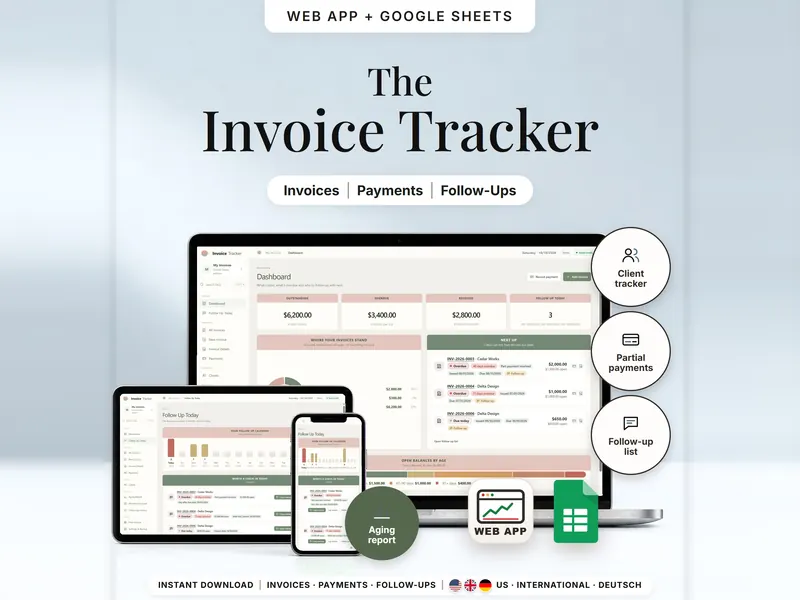
  • want to keep track of the invoices you send and who has paid. Invoice Tracker →
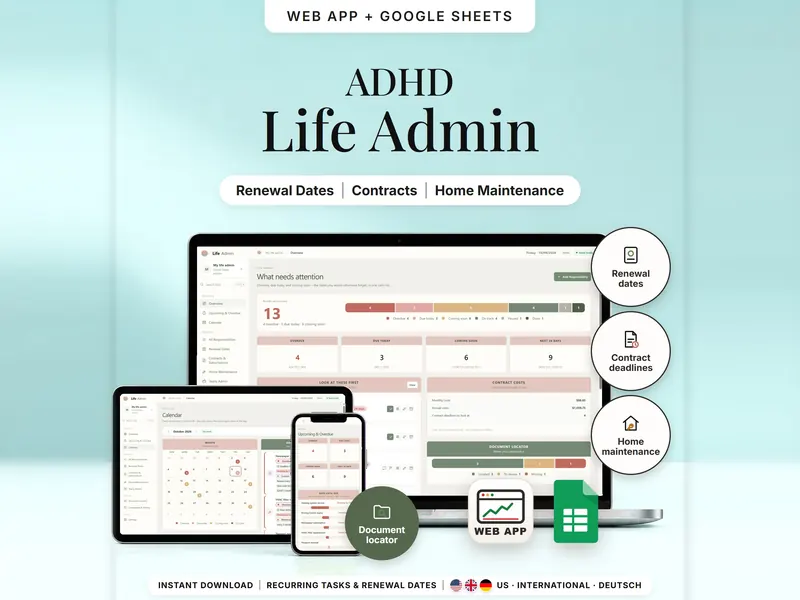
  • want one place for deadlines, documents and household paperwork. ADHD Life Admin Planner →
  • need a certificate-based or qualified signature that proves who signed – this tool adds a visible signature only.
  • want to send documents to others for signing or store them in the cloud – it does neither.

PDF E-Sign

€4.99 for buyers in Germany, incl. 19% VATEtsy shows the final amount in your currency at checkout.

Buy on Etsy – €4.99

One-time purchase · instant download · offline web app

What you need

DeviceWeb app
Windows or Mac computerOpen the HTML file in Chrome, Edge, Firefox or Safari
Android phone or tabletOpen the file from Downloads with Chrome
iPhone & iPadOpen the web-app link from your START HERE guide in Safari and add it to your Home Screen – checked on an iPhone in October 2026

Editions

EditionFormat
USDates as 10/09/2026 or Oct 9, 2026 · US English
InternationalDates as 09/10/2026 or 9 Oct 2026 · UK English
GermanDates as 09.10.2026 or 9. Oktober 2026 · German labels and help

Good to know

  • Computer (Windows or Mac): a current Chrome, Edge, Firefox or Safari
  • Android phone or tablet: Chrome (open the file from your Downloads)
  • iPhone / iPad: open the iPhone link from your START HERE guide in Safari and tap “Add to Home Screen” – it then works like an app, also offline (tested on iPhone)
  • No installation; the web app needs no account. Password-protected or locked PDFs can't be edited.
  • This app lets you add visible signatures, text, and marks to PDF documents. It does not verify your identity and does not create cryptographically signed PDFs or qualified electronic signatures (QES). Some documents may require a qualified electronic signature or a handwritten signature to meet applicable legal requirements. This is not legal advice.
  • For personal use only. Sharing, forwarding, redistributing or reselling the files is not allowed. This is a digital product – no physical item will be shipped. If anything doesn't work, please message us – we're happy to help.

Questions about the PDF E-Sign

Is my PDF uploaded anywhere?

No. The PDF is opened and signed inside your browser and isn't sent anywhere, and the app works without internet. Only your signature and placed fields are kept in this browser – never the PDF itself.

Do I need an account?

No. The web app needs no account and there's no subscription – you open the HTML file in your browser.

Does it work on my iPhone?

iPhone & iPad: open the web-app link from your START HERE guide in Safari and add it to your Home Screen. It was checked on an iPhone in October 2026. A downloaded HTML file on its own only opens as a preview on iPhone and iPad.

Where is my signature saved – and does it sync between devices?

In the browser where you created it. The iPhone version and the HTML file on your computer save separately and don't sync. Clearing browser data removes your saved signature and placed fields; your PDF files aren't affected.

Is this a certified electronic signature?

No. It adds a visible signature, text and marks and doesn't check who signed. Some documents need a handwritten or specially certified signature – ask whoever wants it signed. This isn't legal advice.

Which characters can I type?

Western European characters, including accents and umlauts. Other alphabets and emoji can't be written into the PDF.

Where do I find the signed PDF?

In your device's Downloads. The file name ends in “-signed” – you can switch that off in Settings – and your original file stays as it was.
PDF E-Sign

€4.99 for buyers in Germany, incl. 19% VAT

One-time purchase · instant download · offline web app

Last updated: Oct 2026 · Version 1.0