
Android how-to
How Loud Is Too Loud? A Plain Guide to Decibels and Phone Meters
Noise limits depend on two things: how loud and how long. Here is what NIOSH and the WHO recommend, what everyday sounds roughly measure, and how far you can trust a decibel meter app on your phone.
Volume and time belong together
Ask “how loud is too loud?” and you will usually get a single number. The more useful answer has two parts: the sound level in decibels (dB) and the time you spend in it. A short burst of loud noise and a full workday at a moderate level can both be too much, for different reasons.
Decibels use a logarithmic scale. A rise of 3 dB means roughly twice the sound energy, and a rise of 10 dB sounds about twice as loud to most people. That is why the step from 85 to 95 dB is a much bigger deal than the numbers suggest.
This article is general information, not medical advice. If you notice ringing in your ears, muffled hearing or any other change, please see a doctor or an ear, nose and throat (ENT) specialist.
What NIOSH and the WHO recommend
NIOSH (workplace noise). NIOSH, the US federal institute for workplace safety research, recommends limiting exposure to 85 dBA averaged over 8 hours. It uses a 3-dB exchange rate: every 3 dB above 85 halves the recommended time.
| Level | Recommended maximum per day (NIOSH) |
|---|---|
| 85 dBA | 8 hours |
| 88 dBA | 4 hours |
| 91 dBA | 2 hours |
| 94 dBA | 1 hour |
| 97 dBA | 30 minutes |
| 100 dBA | 15 minutes |
The “A” in dBA stands for A-weighting. It adjusts the measurement to how human ears perceive different frequencies.
WHO (safe listening). For leisure listening, such as music through headphones, the WHO suggests adults stay at around 80 dB for up to 40 hours per week. Louder listening means less time per week.
Typical sound levels in everyday life
The values below are approximate guide values. Real levels depend on distance, the room and the specific device.
| Sound | Approximate level |
|---|---|
| Whisper | ~30 dB |
| Normal conversation | ~60 dB |
| Vacuum cleaner | ~70–75 dB |
| Heavy city traffic | ~80–85 dB |
| Motorcycle | ~95 dB |
| Concert or club | ~100–110 dB |
Next to the NIOSH table, the picture gets clearer. A long night in a club at 100 dB or more is far beyond the 15 minutes NIOSH recommends for that level, which is one reason many people bring earplugs to concerts.
How loud is too loud for headphones?
Headphones are tricky because the sound goes straight into your ear canal, and a phone microphone cannot measure that properly. Holding your phone next to an earbud gives you a number, but not a reliable one. A few habits help more:
- Use the WHO figure as a weekly budget. Around 80 dB for up to 40 hours per week. If you listen louder, listen for less time.
- Take volume warnings seriously. Many Android phones show a message when you push headphone volume past a certain level. Read it instead of tapping it away.
- Check whether you can still hear people. If someone next to you has to raise their voice to reach you, the volume is probably too high.
- Choose earbuds that fit well. When less outside noise gets in, you need less volume to hear the same detail.
- Take breaks. Quiet time gives your ears a rest after long listening sessions.
Measuring decibels with your phone
A decibel meter app uses the phone’s built-in microphone to show the current sound level. It is handy for everyday questions: How loud is my workshop? Is the traffic noise at night really that bad?
To get readings you can compare:
- Keep the phone in the same spot for each measurement, ideally on a stable surface with the microphone uncovered.
- Don’t touch or move the phone while it measures. Handling noise gets picked up too.
- Measure for a while, not just a second. Look at the average and the maximum, not only the needle.
- Note the time and place, so you can compare later measurements fairly.
- Check that your phone case doesn’t partly cover the microphone opening.
How accurate is a decibel meter app?
The honest answer: good enough for comparisons, not a replacement for a professional device. Phone microphones are designed for speech. They are tuned for voices and differ from model to model. Two phones in the same room can show different values, and both can differ from a professional sound level meter.
A phone app is not a calibrated measuring instrument, so its readings are not proof in a dispute. What it does well is show trends: whether the noise is louder at night than during the day, or whether it went up after something changed.
Calibrating a decibel meter app
Calibration narrows the gap. There are two common ways to do it:
- With a reference device. Place your phone next to a professional sound level meter, measure the same sound and set an offset until the app matches.
- In a very quiet room. Without a reference, measure somewhere very quiet, such as a bedroom at night with the windows closed. That should read roughly 20–30 dB. If your app shows much more or much less, adjust the offset carefully.
Write down the offset you used, so later measurements stay comparable.
The sound meter I built for this
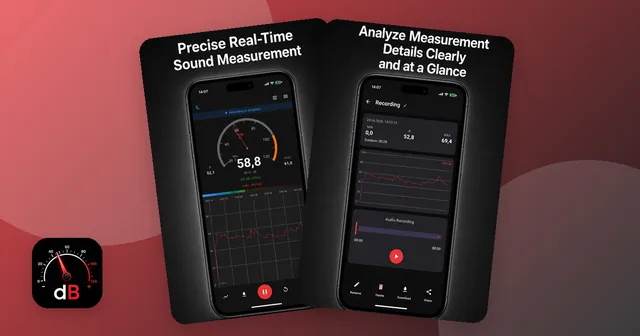
When I built Sound Meter: Decibel dB Level, I designed it around the situations above. It measures in real time in dB with a needle and a level curve, and shows minimum, maximum and average. You can save a measurement as an audio file (M4A) and as a PDF report with a chart, peak values and timestamps, and every measurement stays in a history.
For noise at night, the app can keep measuring in the background while the screen is locked. There is a dark mode and manual calibration with an offset from −20 to +20 dB, either against a professional device or in a very quiet room as described above. The app is free with ads and optional in-app purchases.
The same limits apply as for every phone meter: values can differ from professional sound level meters, and the app is neither a calibrated instrument nor medical advice. If you want to try it, here is the decibel meter app for Android.
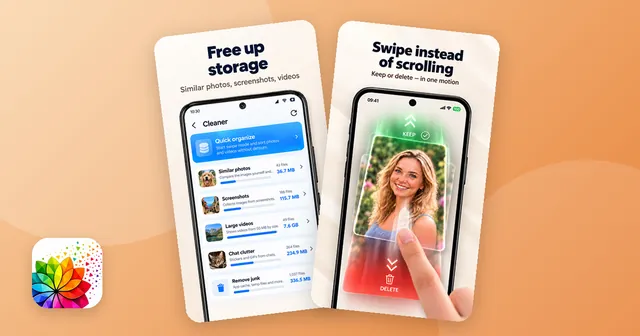
Audio recordings and PDF reports take up space over time. If your phone fills up, the guide on freeing up storage on Android shows what you can remove without regret.
Quick summary
- Loudness and time belong together. NIOSH recommends 85 dBA for no more than 8 hours, and every 3 dB more halves the time.
- For headphones, the WHO suggests about 80 dB for up to 40 hours per week for adults.
- Phone decibel meters are useful for comparisons and trends, especially after calibration.
- If you notice ringing or any change in your hearing, see a doctor or an ENT specialist.

The app from this article
Decibel meter with live gauge, min/max/average, calibration, history and PDF reports.
FAQ
How loud is too loud for headphones?
There is no single number, because time matters as much as volume. The WHO suggests adults keep listening at around 80 dB for no more than 40 hours a week. If you can't hear someone talking next to you, the volume is probably too high.
Are decibel meter apps accurate?
They work well for rough comparisons and trends. Phone microphones are built for speech, so readings can differ from a professional sound level meter. Calibrating against a reference device narrows the gap.
How do I calibrate a decibel meter app?
Place your phone next to a professional sound level meter and set an offset until both show the same value. Without a reference device, measure in a very quiet room, which should read roughly 20–30 dB.
Is 85 decibels loud?
Yes. 85 dBA is the level at which NIOSH recommends limiting exposure to 8 hours a day. Every 3 dB above that halves the recommended time.
Can a phone decibel reading be used as proof?
A phone app is not a calibrated measuring instrument, so don't rely on it as proof. It can still help you see when noise happens and how it changes over time.
Sources
- CDC / NIOSH: Noise and hearing loss – Recommended exposure limit of 85 dBA over 8 hours and the 3-dB exchange rate
- WHO: Deafness and hearing loss, safe listening – Safe listening guidance for adults: about 80 dB for up to 40 hours per week
Keep reading
Android how-to
Free Up Storage on Android: Duplicates, Screenshots & Big Videos
Free up storage on Android step by step: clear app cache and downloads, delete duplicate photos, screenshots and big videos, and empty the trash.
Oct 14, 2026
Android how-to
How to Clean Up Your Photo Gallery on Android: Swipe to Sort
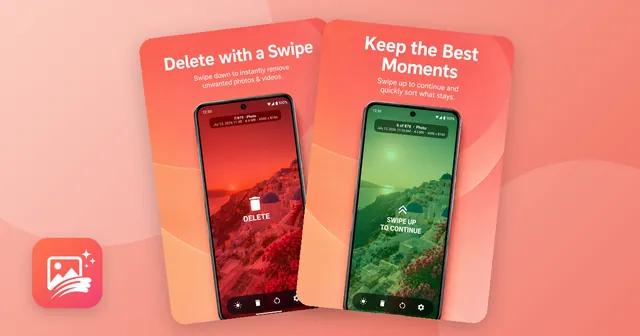
Clean up your photo gallery on Android step by step: remove screenshots, similar shots and big videos, then sort the rest by swiping, with a trash to undo.
Oct 14, 2026