
Android how-to
How to Hide Photos on Android: Vault Apps and Built-In Options Explained
Some photos are nobody else’s business, even when you hand your phone to a friend. Here are the built-in ways to hide photos on Android, what a gallery app with a vault adds, and where the honest limits are.
Hiding photos vs. protecting them
There are plenty of good reasons to hide photos on Android. You hand your phone to a colleague to show one picture and they swipe further. A child plays a game on your phone. You keep scans of documents, medical letters or private moments that simply don’t belong in the everyday photo grid.
Before you pick a method, it helps to separate two goals:
- Hiding means the photos no longer show up in your normal gallery. Someone casually scrolling won’t see them.
- Protecting means the photos are behind a lock, and getting to them takes a PIN, a password or a biometric unlock.
Some methods only hide. Others hide and lock. None of them replaces a good screen lock on the phone itself, so set that up first if you haven’t already.
Option 1: Locked Folder in Google Photos
On many Android phones, Google Photos offers a Locked Folder. Photos and videos you move there no longer appear in your photo grid, albums or search, and opening the folder requires your phone’s screen lock.
A few points to keep in mind:
- How Locked Folder handles backups has changed over time and depends on your settings. Check the current Google Photos help pages on support.google.com before you rely on it.
- Items that are not backed up can be lost if you remove the app, clear its data or reset the phone. Read Google’s notes on this carefully.
- Where exactly you find the feature depends on your app version.
Option 2: Secure Folder on Samsung phones
Many Samsung Galaxy phones include Secure Folder. It is a separate, encrypted area with its own lock and its own copies of apps, so you can keep photos, files and even a second gallery inside it.
It is a strong option, but it is a whole private space rather than a simple hide button, and it only exists on Samsung devices. Other manufacturers and recent Android versions offer similar private areas under different names. If you are unsure, look in your phone’s settings for terms like “private” or “secure”.
Option 3: The .nomedia trick
Android has an old convention: if a folder contains an empty file named .nomedia, many gallery apps skip that folder. You can create such a file with a file manager, move your photos into that folder and they disappear from many galleries.
The limits are clear, though:
- There is no lock. Anyone who opens a file manager can still see and open the photos.
- Not every gallery app respects .nomedia.
- It is easy to forget which folder you hid, which makes it awkward later.
It works as a quick way to declutter the gallery, not as privacy protection.
Option 4: A gallery app with a vault
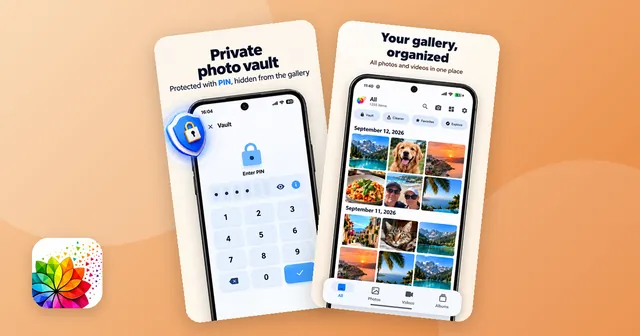
A gallery app with a vault combines your normal gallery with a locked area. You select photos or videos, move them into the vault, and they no longer appear in the gallery. To see them again, you enter a PIN.
When you compare vault apps, these questions help:
- Does it hide photos and videos? Many people need both.
- Can you restore files easily? Ideally back to their original folder, with their original date.
- Does it upload anything? If you want your private photos to stay on the phone, look for an app without cloud upload.
- Does it need an account? For a private vault, an app that works without an account is simpler.
- Is it clear about what the PIN protects? Honest apps say whether the lock covers only the vault or the whole app.
The options at a glance
| Method | Available on | Lock | Main limit |
|---|---|---|---|
| Locked Folder (Google Photos) | Many Android phones | Screen lock | Backup behavior depends on settings |
| Secure Folder | Many Samsung Galaxy phones | Own lock | Samsung only, separate space |
| .nomedia file | Most Android phones | None | Visible in file managers |
| Gallery app with vault | Android, via app | PIN | Not professional-grade encryption |
What a PIN vault can and can’t do
I want to be honest about this, because it matters. A PIN vault protects your photos from curious eyes: the friend who scrolls too far, the child who opens the gallery, the colleague looking over your shoulder. It is not encryption at a professional level. It is not designed to withstand someone with technical tools and full access to your unlocked phone.
Two more things are easy to overlook:
- Copies elsewhere. If a photo was already backed up to a cloud service or shared in a chat, hiding it on your phone doesn’t remove those copies.
- Phone switch or uninstall. Before you switch phones or uninstall a vault app, restore the files from the vault to your gallery and back them up. Otherwise you risk losing access to them.
How I built the vault in Photo Gallery
When I built Photo Gallery: Albums & Vault, the vault was meant for exactly the everyday situations above. You protect it with a PIN, move photos and videos in, and they no longer appear in the gallery. You can bring them back at any time, and they return to their original folder with their original date. The PIN protects only the vault, not the rest of the gallery.
The free version holds up to 25 files in the vault. Pro removes that limit and the ads, and is available as a one-time purchase or as a yearly or monthly subscription. The app needs no account and doesn’t upload your photos to a cloud. Apart from the vault, it is a regular gallery with albums, favorites, search and a grid or mosaic view.
If you are looking for a gallery app with a vault for Android, it is one option to try alongside the built-in tools above. And if hiding photos made you notice how full your gallery is, the guide on cleaning up your photo gallery is a good next step.

The app from this article
Photo and video gallery with albums, a PIN vault, editor and storage overview.
FAQ
How do I hide photos on Android without installing an extra app?
Depending on your phone, you can use the Locked Folder in Google Photos or, on many Samsung Galaxy phones, Secure Folder. A simpler option is a .nomedia file, which tells many gallery apps to skip a folder.
Where do hidden photos go on Android?
That depends on the method. A vault moves files into a protected area so they no longer appear in your normal gallery. A .nomedia file only hides a folder from gallery apps; the files stay where they are.
Is a gallery app with a vault safe?
A PIN vault keeps photos away from curious eyes when someone borrows your phone. It is not professional-grade encryption, so it is not built to stop a determined attacker with technical tools.
What happens to hidden photos when I switch phones?
Before you switch phones or uninstall a vault app, restore your hidden files to the gallery and back them up. Otherwise you risk losing access to them.
Can I hide videos on Android too?
Yes. Locked Folder, Secure Folder and most vault apps handle videos as well as photos. In Photo Gallery: Albums & Vault, both photos and videos can go into the PIN vault.
Keep reading
Android how-to
How to Clean Up Your Photo Gallery on Android: Swipe to Sort
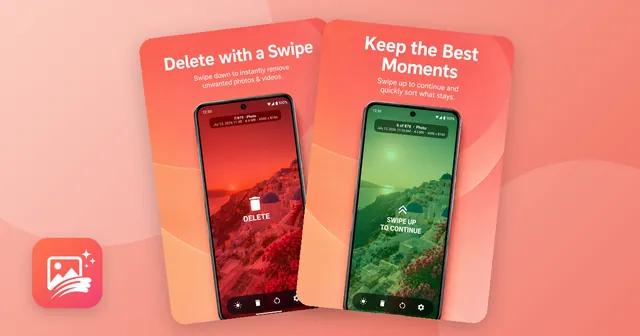
Clean up your photo gallery on Android step by step: remove screenshots, similar shots and big videos, then sort the rest by swiping, with a trash to undo.
Oct 14, 2026
Android how-to
Free Up Storage on Android: Duplicates, Screenshots & Big Videos
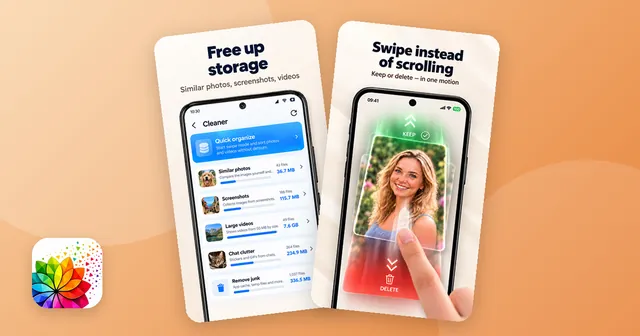
Free up storage on Android step by step: clear app cache and downloads, delete duplicate photos, screenshots and big videos, and empty the trash.
Oct 14, 2026