Offline games for Android are what gets you through a train ride, a flight or a dead zone, and there are far more of them than you might think. What matters is less the individual game than the kind of game: puzzles and classics against the computer often need no connection at all, while games with other players, leaderboards or online events barely work without one.
That is why this guide names kinds of games rather than individual titles, and it does not rank anything. The store listing tells you whether a specific game works offline, and with the test further down you can find out yourself in two minutes. We introduce our own games separately and say honestly what they can do without internet.
Why some games need internet and others do not
A game needs no connection when everything you need to play is already on your phone: the rules, the levels and your progress. Internet comes in as soon as any of that comes from outside. Typical reasons are:
- Other players: anything with real opponents or teams runs over the internet.
- Leaderboards and online events: rankings, tournaments and limited-time events are loaded from the internet.
- Cloud saves: some games only store your progress online.
- Downloaded content: some games add new levels or graphics when they start.
- Ads and videos: they are loaded from the internet, including optional reward videos.
So a game can work offline and still offer more online. What matters is that the core, the actual playing, works without a connection.
Kinds of games that work well offline
| Kind of game | How it works | What to check |
|---|---|---|
| Block puzzle | Place blocks on a grid, clear full rows and columns | whether every mode works offline |
| Logic and number puzzles | Fill cells by fixed rules, such as nonograms | whether the daily puzzle needs a connection |
| Arrow and tap-away puzzles | Tap pieces off the board in the right order | whether all levels are already on the phone |
| Word games | Crosswords, word search, letter puzzles | whether new puzzles are downloaded |
| Card games and solitaire | Lay out cards by fixed rules, on your own | whether it is against the computer or against people online |
| Board games against the computer | Chess, checkers and other classics against a built-in opponent | whether the computer opponent runs on the phone or online |
Block puzzles
A block puzzle is close to ideal for the road: the rules are clear at once, a round can be paused any time, and all the game needs is the board and the next blocks. Good block puzzles have an endless mode and levels with goals. Check that both work without a connection, not just one of them. How to score more in these games is covered in our block puzzle tips.
Logic and number puzzles
Number puzzles, nonograms and sliding puzzles are fixed puzzles with one solution. Many apps ship their puzzles with the app, and often only the daily puzzle or a leaderboard is online. Our guide to brain puzzle games for adults gives an overview of the main puzzle types.
Arrow and tap-away puzzles
In these puzzles you tap pieces that leave the board in a fixed direction, and you look for the right order. Each level is a small, self-contained task that fits into a short break. Our guide how to solve arrow puzzles explains the method.
Word games
Crosswords, word search and letter puzzles work offline as long as the puzzles are already on your phone. Some apps download new puzzles every day. In that case it helps to open a few puzzles before your trip, or to download them in advance if the app offers that.
Card games and solitaire
Solitaire games are played alone by fixed rules and need no connection. Card games against real people are different: they almost always run online.
Board games against the computer
Chess, checkers and other board game classics come as apps with a built-in computer opponent. If the opponent runs on your phone, you need no connection. If you play against people or have games analysed online, you do.
How to check before a trip whether a game works offline
- Read the store listing. Many games say in their description whether they work without internet and which parts need a connection.
- Start the game once with a connection. Some games still download data on their first start.
- Do the airplane mode test. Airplane mode on, close the game completely, open it again and play a few rounds. If everything runs without an error message, you are ready.
- Check every mode. Sometimes the endless mode works offline but the levels with goals do not, or the other way round.
- Install updates over Wi-Fi first. Then the game will not ask for a new version on the road.
Do the test at home. Otherwise you only find out on the train that a game will not start without a connection.
Our own games without internet
To be transparent: we make games ourselves. That is why they are not part of the overview above, but have their own section here.
Gem Bash: a block puzzle that also works offline
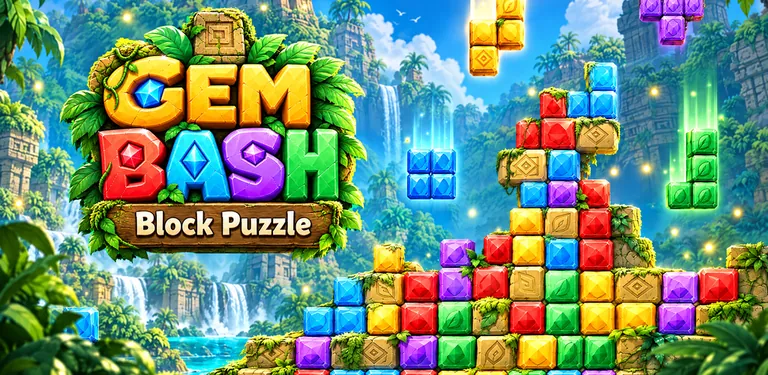
Gem Bash is our jewel block puzzle. You drag three blocks onto the 8×8 board, clear full rows and columns and build combos. There are two modes: Classic is endless with no time pressure, and Adventure has 1,000 levels in 11 seasons with goals such as gems you collect from the board. In the Android app, Classic and Adventure also work without an internet connection.
Gem Bash is free and shows ads: a banner below the tray and an announced ad break after a win or a result, after the fifth round at the earliest and after that at most after every fifth round. A one-time purchase removes the banner and the ad breaks. You can play a Classic round first on the game page in your browser, which does need a connection. There is more about the game in our news post Gem Bash is out.
Our game, works offline
Block Puzzle: Gem Bash
Best for: Anyone who wants a calm block puzzle with no time pressure on the go
Our jewel block puzzle: in the Android app, Classic and Adventure also work without an internet connection. The browser demo needs a connection.
- Developer
- stillmeasure. games (us)
- Without internet
- Classic and Adventure in the app
- Ads
- Yes, one-time purchase removes them
Snake Escape: an arrow puzzle
Snake Escape is our first game, an arrow puzzle with snakes and 5,000 levels in 10 worlds. We make no offline promise for Snake Escape in this guide. If you want to play it on the go, do the airplane mode test from above first. The browser demo with 10 of the hardest levels needs a connection either way.
Tips for long journeys
- Check your storage: offline games keep their content on the phone, and that takes space. If it gets tight, our guide on freeing up storage on Android helps.
- Save battery: lower screen brightness and airplane mode, when you have no signal anyway, are easy on the battery.
- Mind the sound: many games have separate switches for music and effects. On a bus or train, a quick look at the settings is worth it.
- Pick calm games: games without time pressure can be paused any time, when the train stops or you have to change.
Quick summary
Most games that work without internet are puzzles, word games, solitaire and board games against the computer. The store listing and a quick airplane mode test at home tell you whether a specific game works offline. Our block puzzle Gem Bash runs both of its modes without a connection in the app, and you can find more single-player games in our overview of the best puzzle games for Android.